

Sequences are a daily part of your Event Sales process.
A guest submits an inquiry online, you send an email with your event information. If the guest doesn’t reply in a few days, you send a follow up email, if a guest doesn’t respond in another few days, you send another follow up email, etc.
🔄 How Email Sequences Work
Email Sequences allow you to send a series of timed follow-up emails to your guests automatically.
- 💬 If a guest replies to any email, the sequence stops immediately so you can respond personally
- ⏳ If no reply is received, the sequence continues as scheduled
- 🔔 At the end of the sequence, an optional reminder can be assigned to the salesperson to follow up or close/cancel the inquiry or event
🛠️ Building an Email Sequence
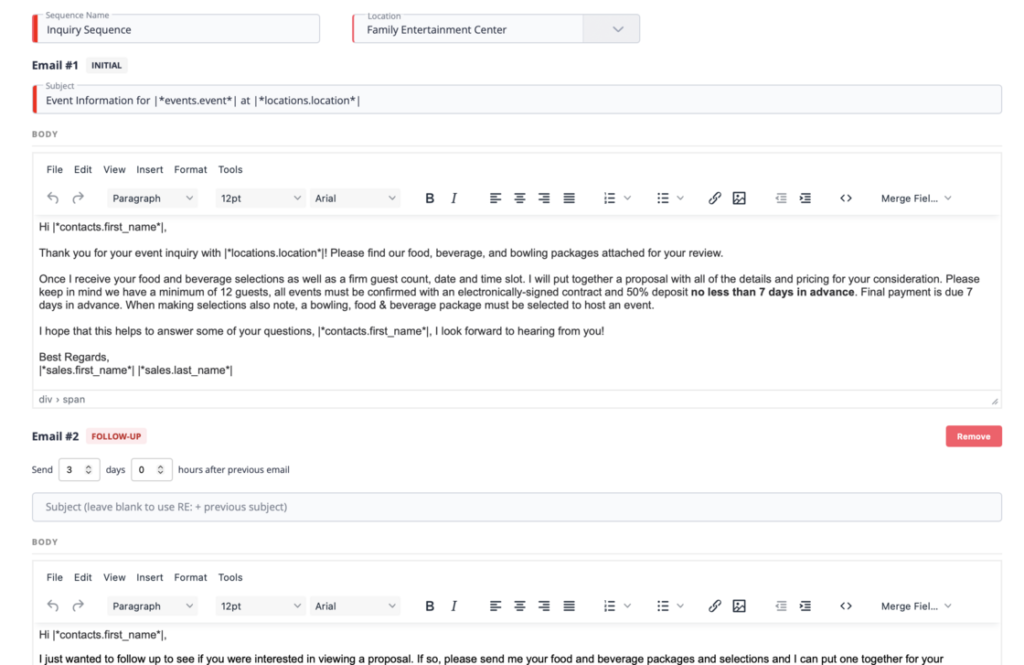
- 🏷️ Name your sequence and assign a location
- ✍️ Create your first email (subject + message body)
- 🔗 Add merge fields to auto-populate guest details
- ➕ Click “Add Follow-Up Email” to include additional emails
- ⏱️ Set the days or hours between each follow-up
- 📩 Leave the subject blank to auto-use “Re:” from the previous email
You can add as many follow-ups as needed, perfect for 2nd, 3rd, or 4th touch points.
📅 Completed Sequence Reminder
Once the sequence finishes, you can assign a Completed Sequence Reminder to notify the sales person and ensure nothing falls through the cracks.
🚀 Sending Email Sequences
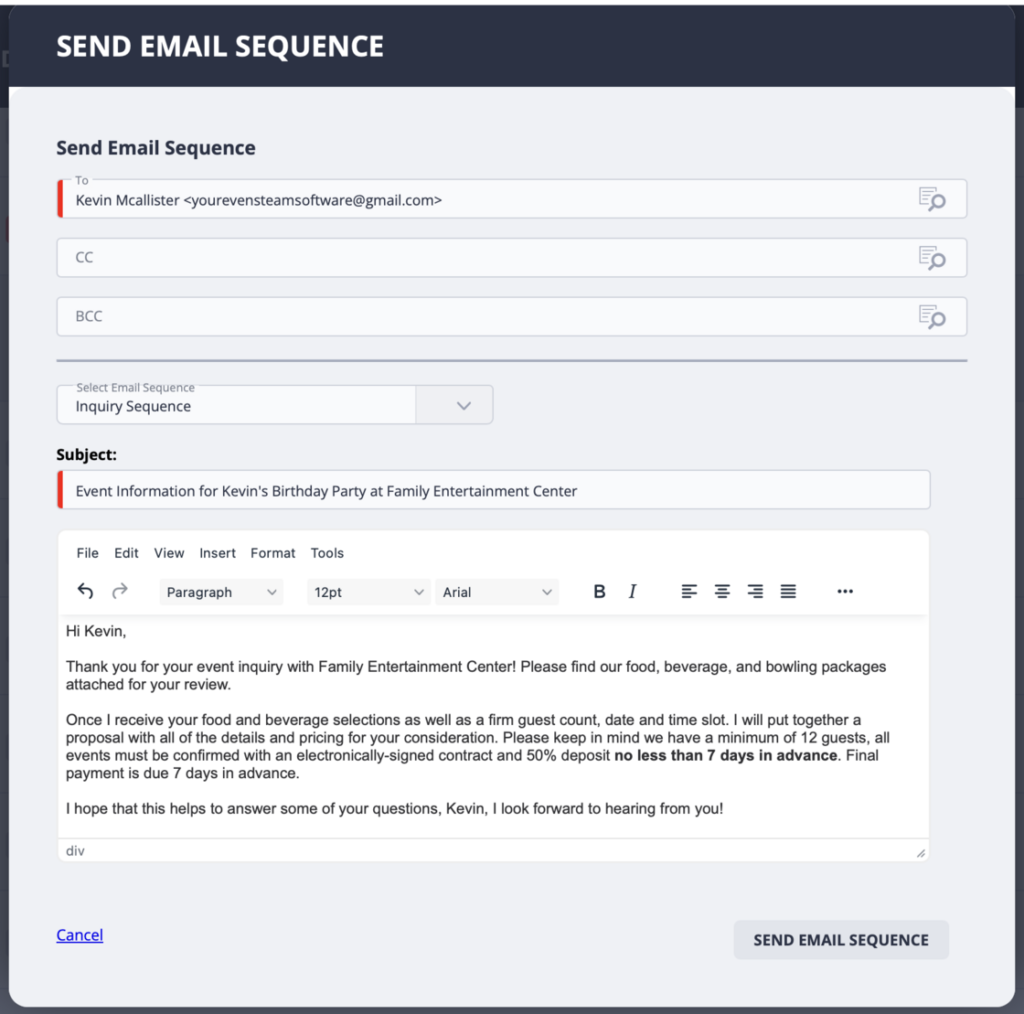
- Click “Send Email Sequence”
- Select your sequence from the dropdown
- Hit Send
🎯 Automate with Milestones
Email Sequences can also be tied to Milestones, so follow-ups are sent automatically when:
- 📄 A proposal is sent
- ✍️ A contract is requested
- 💳 A payment is due
The sequence stops automatically once the guest completes the task, replies, or you advance to the next milestone.
📜 Full Visibility & Control
- 🗂️ All emails are logged in Communication History
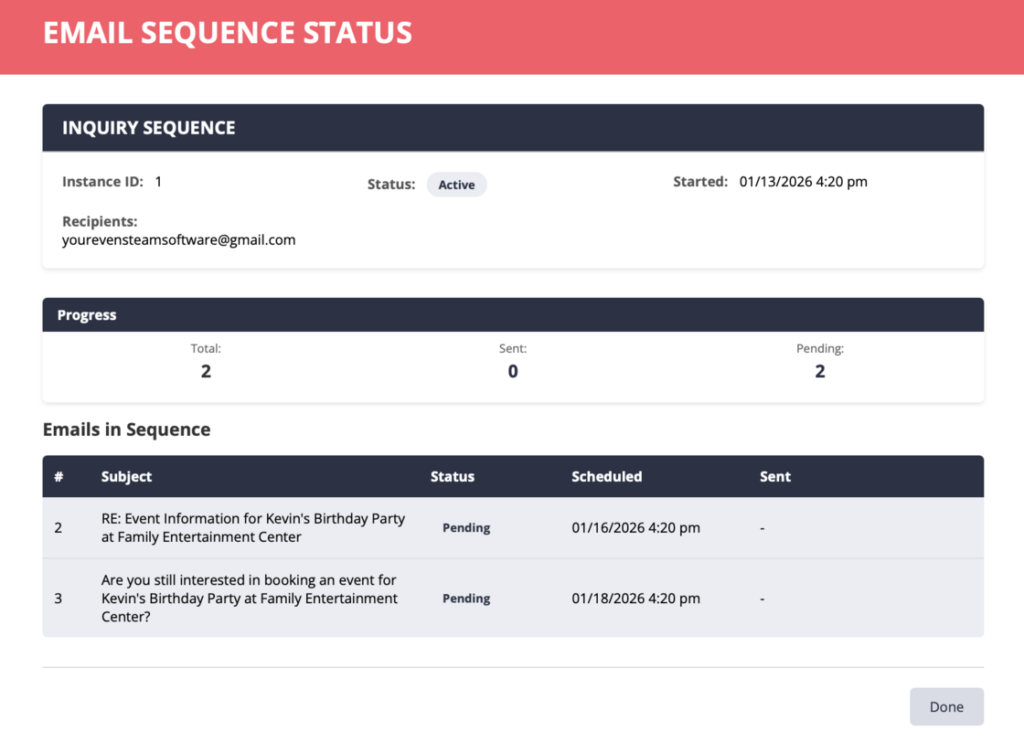
- 👀 View sequence status at any time
- 🛑 Stop a sequence using the 3-dot menu
💡 Email Sequences help you follow up consistently, save time, and never miss a response, without sacrificing the personal touch.
Easily set up your Sequences
Then Easily send your sequence
You can even check the status of your sequence